
Build a retro TV lineup from your own library
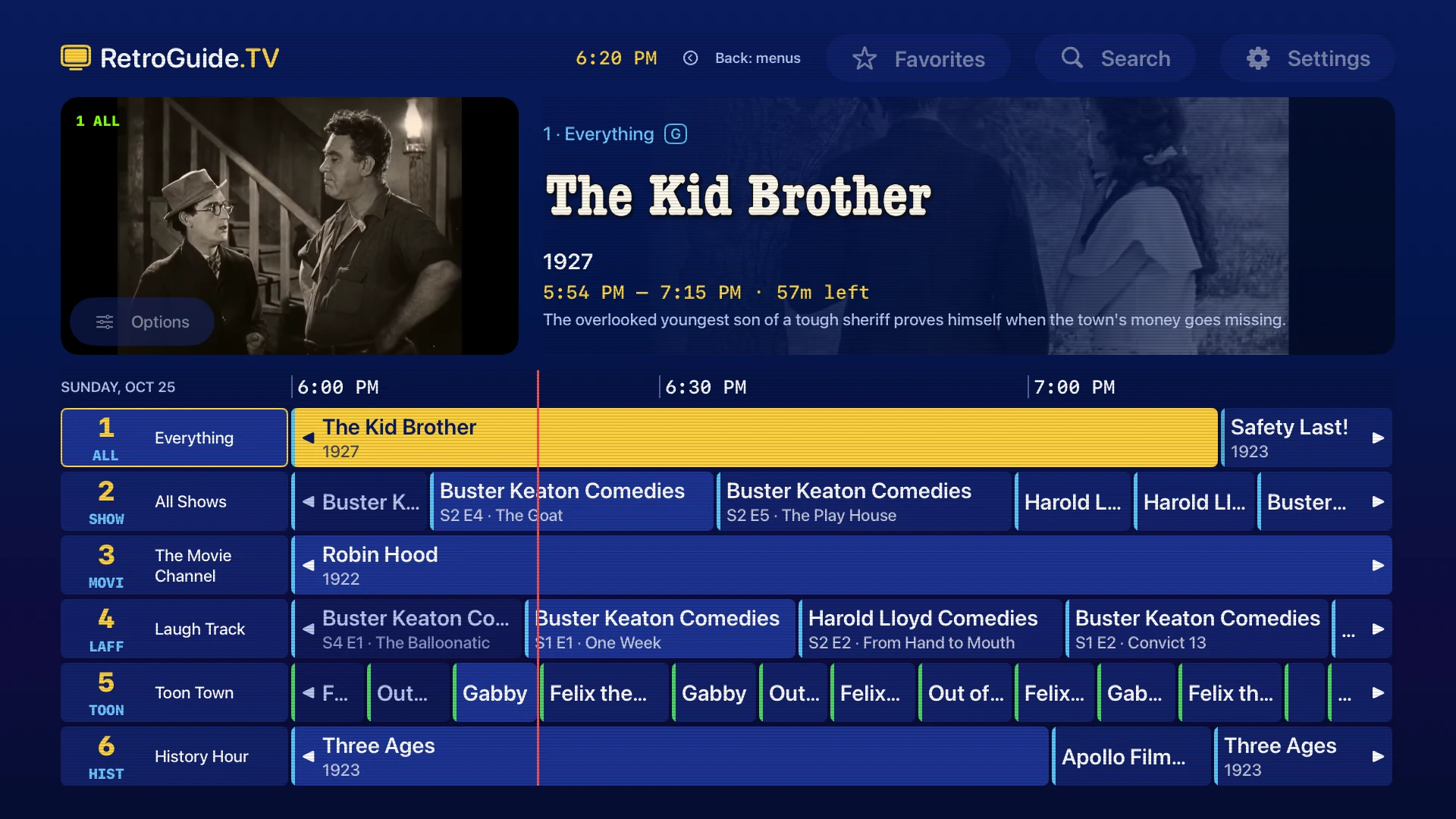
RetroGuide.TV turns your Plex or Jellyfin shows and movies into scheduled channels on Apple TV, iPhone and iPad. Open the guide, see what is on, and tune into a program already in progress.
Start with your media server
You need a Plex or Jellyfin server you own or have permission to access. RetroGuide.TV does not include shows, movies or broadcast subscriptions. Your media stays on the server, and you do not need to install a channel plug-in or an IPTV tuner.
The server must be reachable over HTTPS with a trusted certificate, including on your home network. For Plex, enable secure connections. For Jellyfin, configure a trusted HTTPS endpoint. See the steps for an HTTP-only server.
- Open RetroGuide.TV and connect Plex or Jellyfin.
- Select the server and libraries you want in your lineup.
- Choose Build My Channels, then open the guide.
Free includes one server. Pro can combine Plex and Jellyfin servers in the same lineup.
Explore the automatic channels
The app builds channels from the genres, decades, networks, collections and series in your selected libraries. A library with enough older sitcoms might produce a comedy channel, decade channels and individual series marathons. The available channels depend on your library and its metadata.
Series channels give a favorite show its own place in the guide. Programs follow a clock, so you can drop into whichever episode is on instead of choosing one each time. Use search to find a show and see when it airs.
Create a channel with a particular feel
Use a custom channel to bring together the shows and movies you want. Choose from shows, genres, networks, collections, decades and libraries, then review the channel preview before saving it.
- Saturday morning cartoons: select the series you want, or use a collection you maintain on your server.
- 90s sitcoms: choose favorite comedies from that decade for an evening lineup.
- Classic movie night: select a collection of films for a dedicated movie channel.
- Science and nature: choose specific documentaries or a curated collection when broad genre tags are not precise enough.
One custom channel is included free. Pro allows unlimited custom channels.
Choose how programs take turns
Pro includes schedule ordering and start-time controls. Shuffle, Block Shuffle, Show Rotation and Marathon offer different ways to arrange programs. Episodes remain in order within a series. Use Show Rotation to alternate between series or Marathon for a longer run of one show.
You can also use half-hour start times for a more familiar TV schedule. Browse ahead in the guide to see the resulting lineup. While watching, Watch from Beginning starts the current program over without changing the schedule. Return to Live rejoins what is airing now.
Give the guide a familiar look
Classic Cable is included free. Pro unlocks all twelve themes, including VHS, Teletext and Synthwave. Optional scanlines add a CRT-style texture to menus. On iPhone and iPad, the app icon and What’s On widget can match the selected theme.
See the themes and matching widgets.
Make a separate family lineup
Parental controls can filter your regular channels or use a separate custom lineup. Choose content and libraries, apply movie and TV rating limits, and protect changes with a four-digit PIN. Turning parental controls off restores your regular lineup.
For a tightly curated lineup, select specific shows, movies or collections. Animation and Documentary tags alone do not guarantee that a program is suitable for children. Rating and library restrictions still apply to the parental lineup.
Set up parental controls and a separate lineup.
Watch on your Apple devices
Use the Siri Remote to surf channels on Apple TV. On iPhone and iPad, swipe between channels, check the What’s On widget, or keep watching in Picture in Picture while using another app.
RetroGuide.TV is free, with an optional one-time Pro purchase. Compare Free and Pro, or read more about Plex and Jellyfin.
