
Live TV channels for your Jellyfin library
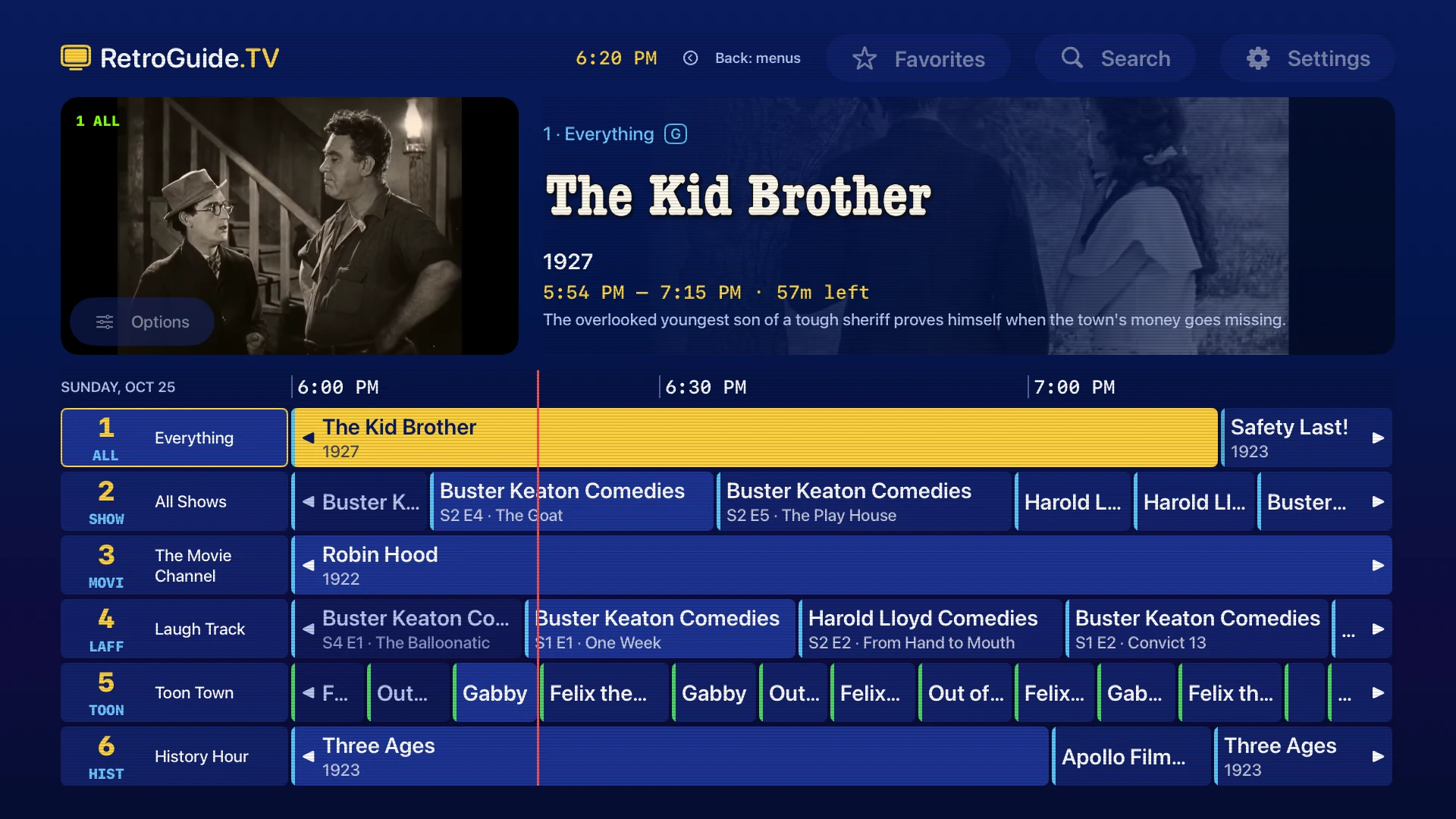
RetroGuide.TV turns the shows and movies on your Jellyfin server into always-on TV channels, with a classic program guide and channel surfing on Apple TV, iPhone and iPad.
How it works
Choose Connect Jellyfin, pick a server found on your network or enter its address, and sign in with Quick Connect or your username and password. Select your libraries and choose Build My Channels. RetroGuide builds a lineup from your library: genres, decades, networks, collections and 24/7 channels for individual series, each running on a schedule you can tune into partway through.
Works with your Jellyfin server as it is
The channels are built in the app, so there is no plug-in or tuner to add to Jellyfin. RetroGuide reports playback progress and track choices to your server. Servers behind a reverse proxy work too: enter the full HTTPS address, including any path prefix.
Set up Jellyfin · Configure a secure connection · Build a retro TV lineup
What you get
- A program guide with artwork, a live preview and search
- Channel surfing with the Siri Remote, or a swipe on iPhone and iPad
- Your own channels from any mix of shows, genres, networks, collections, decades and libraries
- A built-in player for MKV, HEVC, AV1, HDR and styled subtitles, with audio and subtitle choices
- Picture in Picture, a sleep timer and a What’s On widget on iPhone and iPad
- Parental controls with a PIN and a separate lineup
Pro, a one-time purchase, combines Jellyfin and Plex servers into one lineup and adds favorites, reminders, themes and schedule controls. Compare Free and Pro.

Questions
Does it need HTTPS?
Yes. Version 1.6 requires HTTPS with a trusted certificate for Jellyfin, including on your home network. Prepare your server for HTTPS.
Can I use Plex and Jellyfin together?
Yes, with Pro. Channels draw on both servers in one lineup, and matching copies of a title are treated as one.
Does it include live broadcast TV?
No. It schedules the media already in your Jellyfin libraries. No shows, movies or broadcast channels are included.
Is RetroGuide.TV part of the Jellyfin project?
No. It is an independent app by Adam Hunt and is not affiliated with the Jellyfin project.